
Focus : Interactive Programming Code
Team : Independent
Role: Research, Initial design,
Interviews,Programming
Tools: Figma, CSS, HTML, JAVA SCRIPT
Length: 1 month
WHY ?
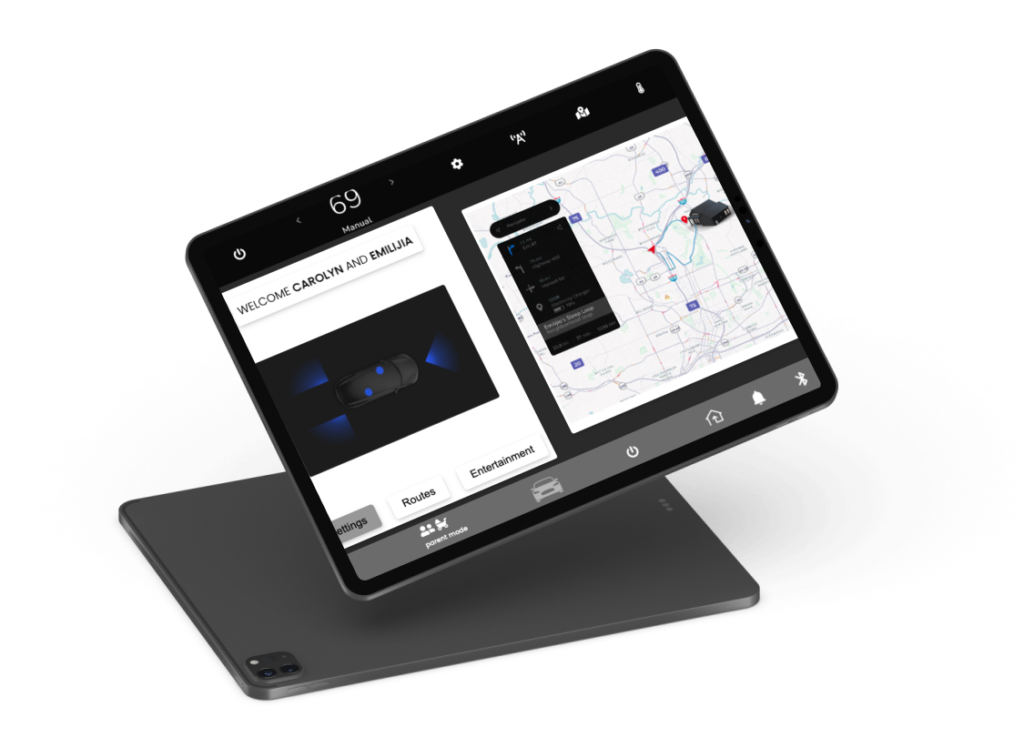
I aimed to enhance the driving experience through design. Utilizing Tesla’s design system, I created a car infotainment UI that focuses on the needs of tired drivers and their young passengers. With user-friendly controls and calming features, this UI aims to make driving a more relaxed and stress-free experience for all.

Analysis
I identified a gap between the customer and the product. Every mother I interviewed relied on driving to lull their child to sleep, despite feeling exhausted themselves.
Purpose
How can I redesign an infotainment interface to better support tired mothers who drive to soothe their children to sleep?
Approach
- First interview more mothers about this user profile.
- Define the scope.
- Develop a product using an already existing infotainment template.
- Deliver product to colleagues for critique.
Empathize
Synergestic actionables. Organic growth deep dive but circle back or but what’s the real problem we’re trying to solve here?
Define
Synergestic actionables. Organic growth deep dive but circle back or but what’s the real problem we’re trying to solve here?
Develop & Deliver
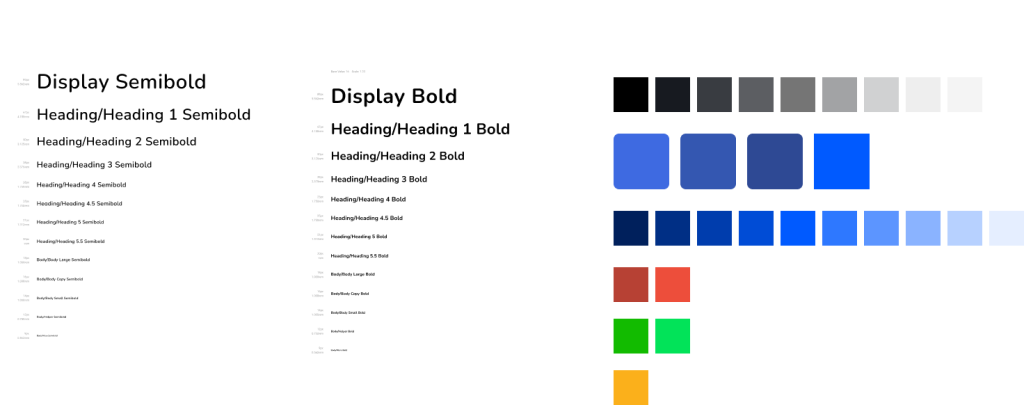
Design Library
Content Map
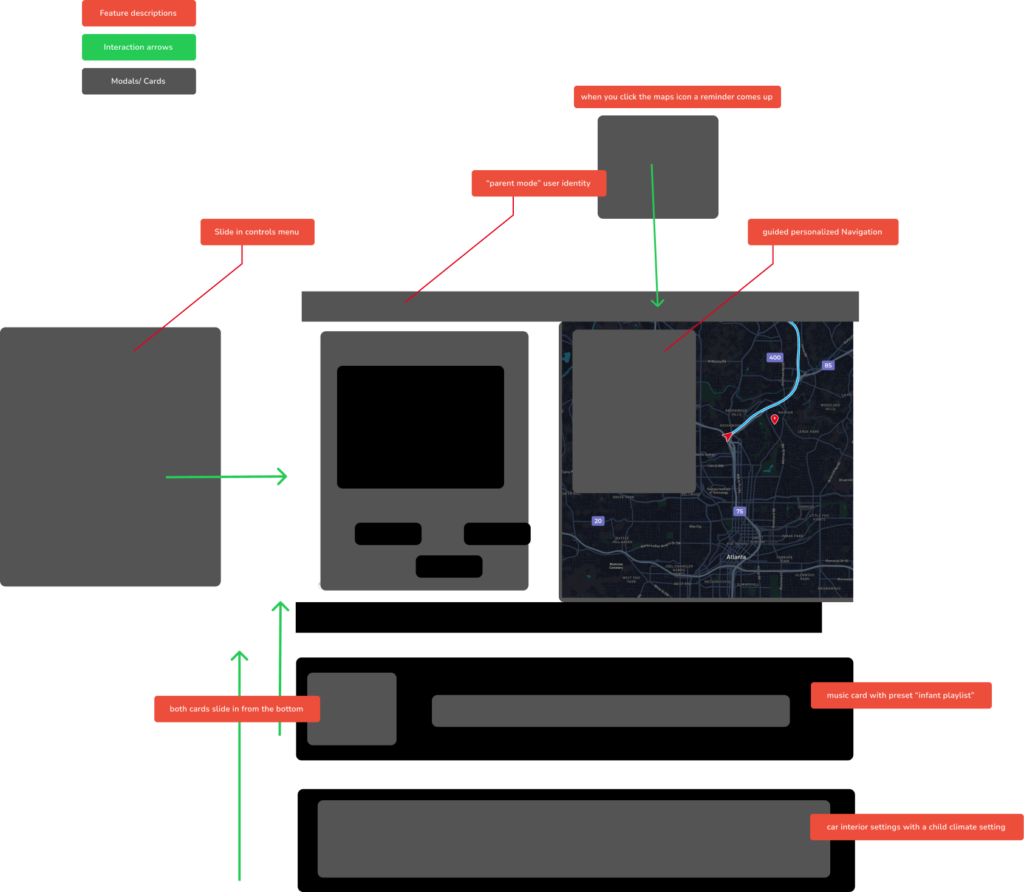
Before programming I built diagrams for information architecture, then a diagram for the overall architecture including main screen and cards and modals when user has turned of this “Parent” mode feature.
Guardian Mode Key Screens
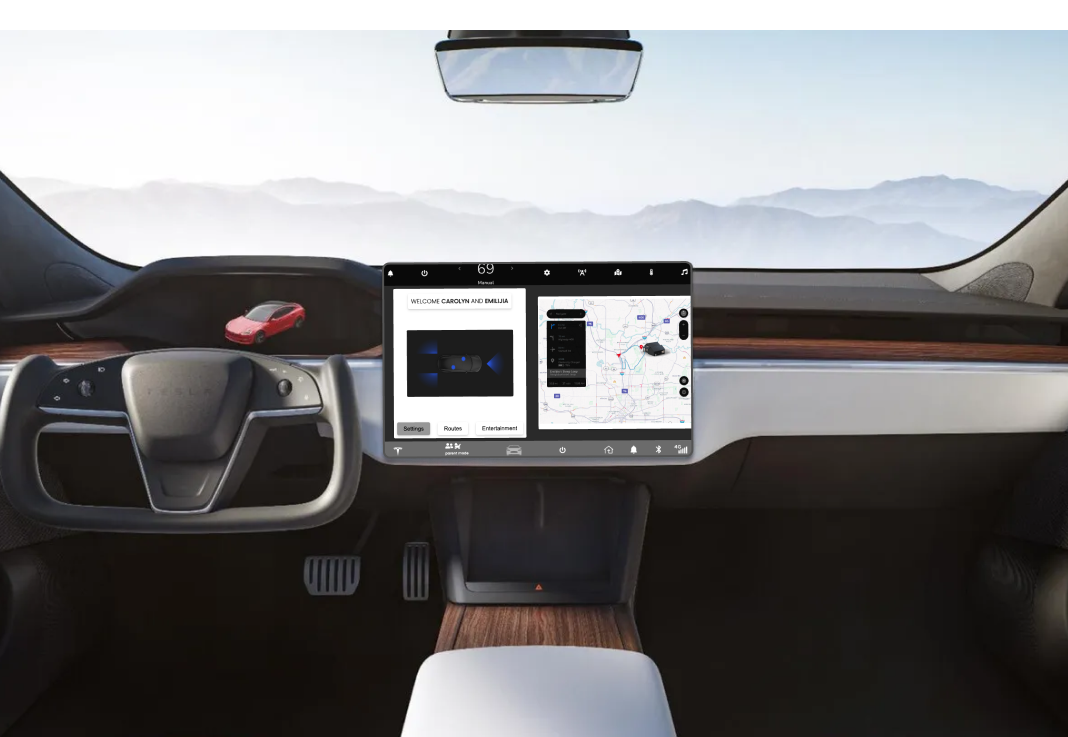
Welcome Screen
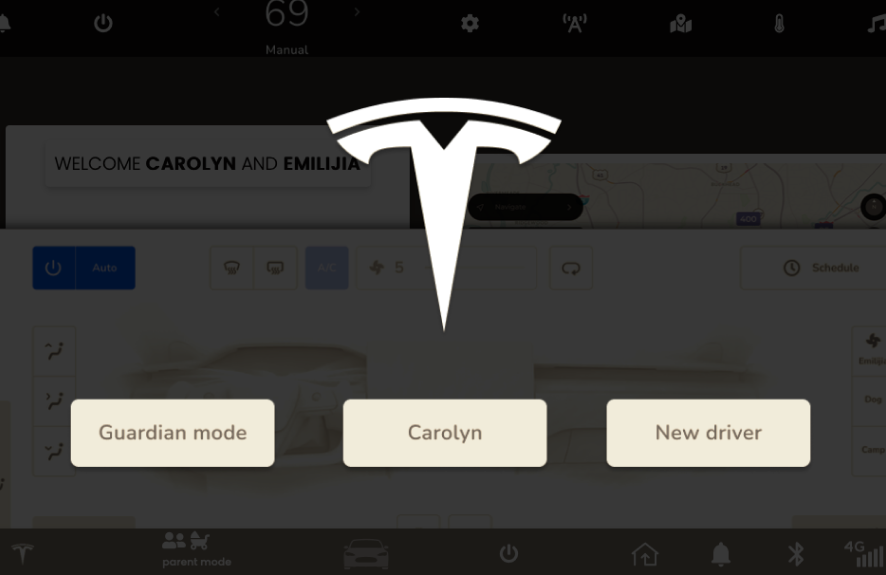
User is welcomed by this screen, they then choose their driver user, with accompanied settings.
Main Screen
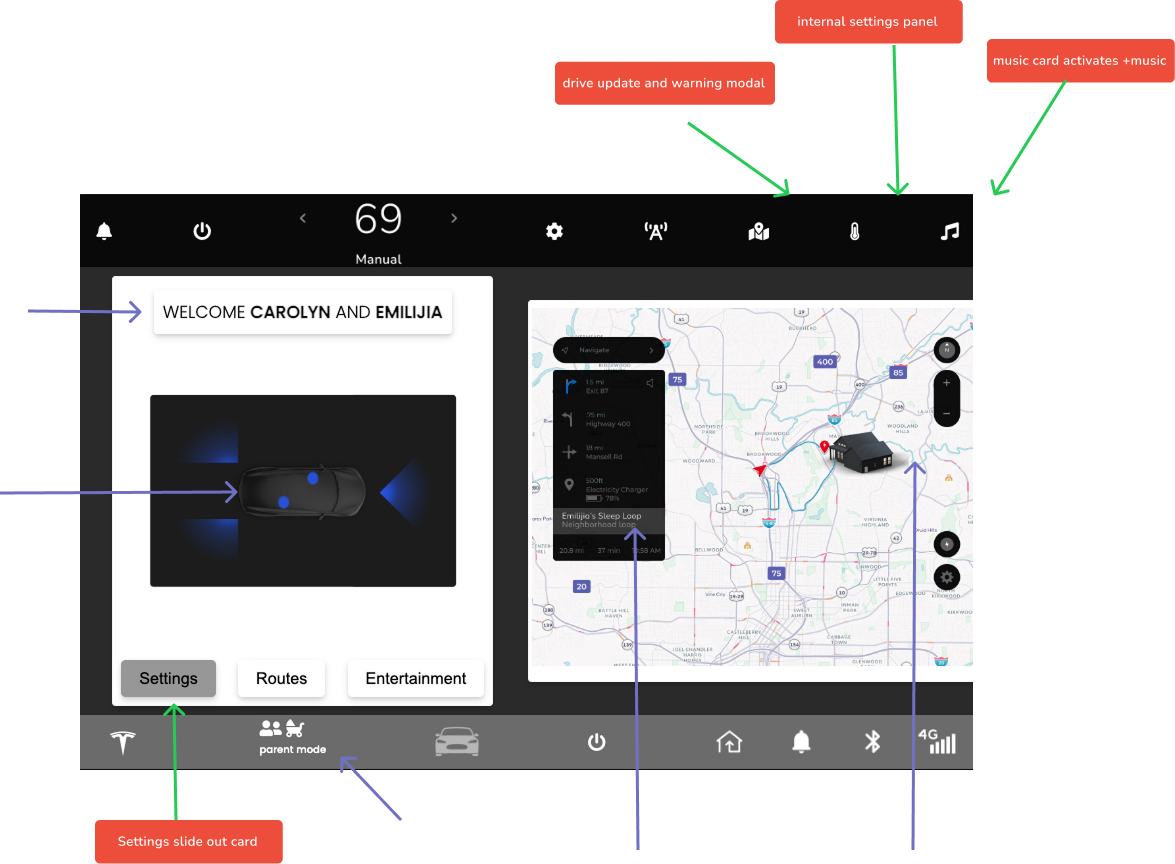
- Personalized name of driver and child.
- Preset child ‘sleep loop.’
- Preset child ‘sleep playlist.’
- Primary Settings CTA
- Top nav includes; trip saftey updates, music, speed, settings, and internal settings panel.
Driving Settings Card
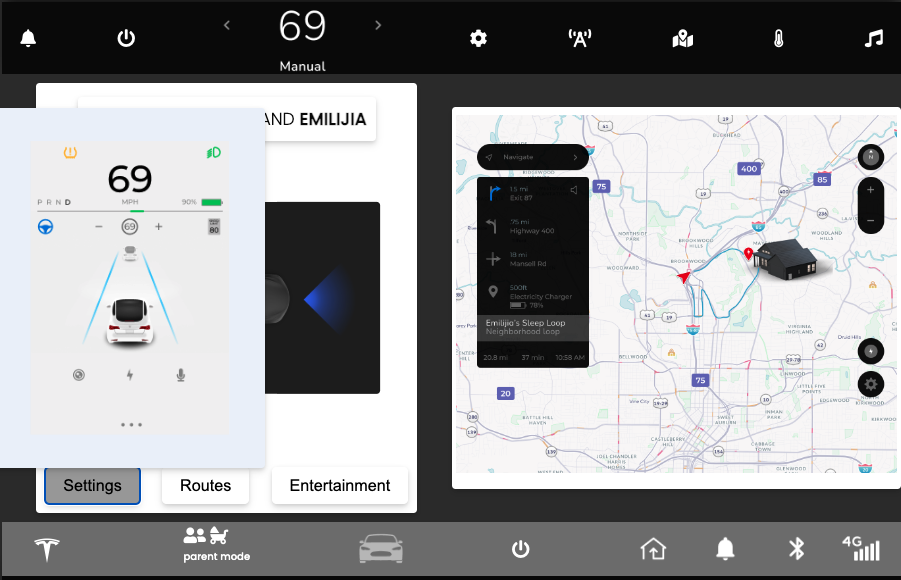
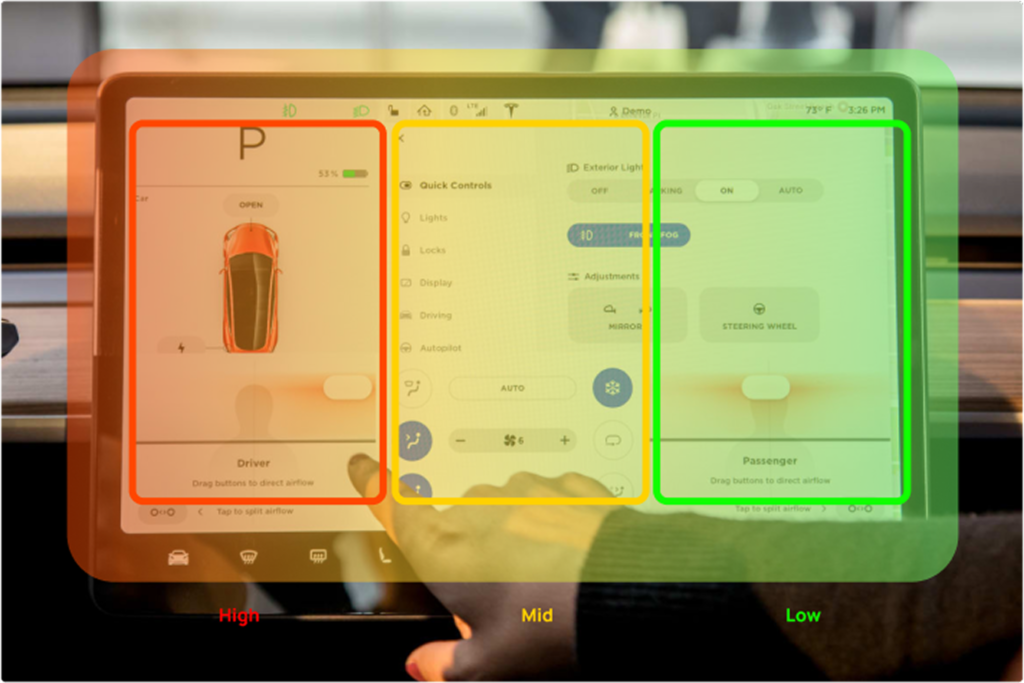
Large text and key features slides out from users right, the most easily accessible “hot spot” of the screen.
Music Card
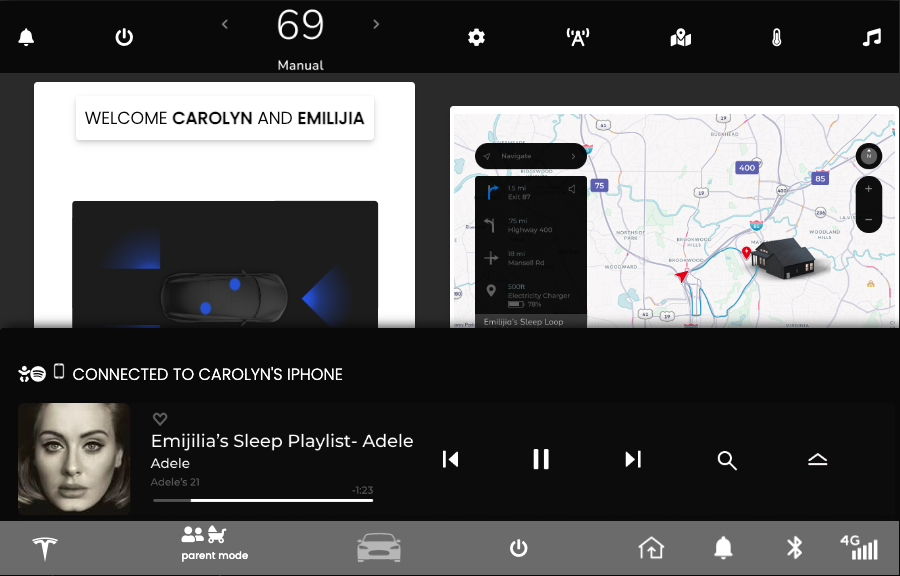
Music icon immediately starts preset music and a display card of current song, phone connection and playlist slide upward from the bottom of the screen.
Trip Safety Modal
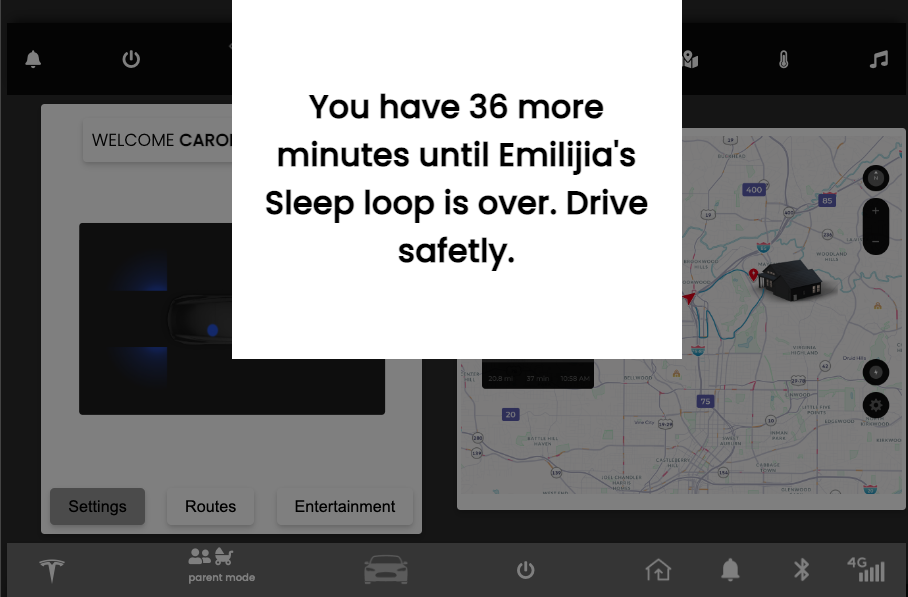
Trip update card is triggered when user toggles the map icon. This feature reiterates trip details and warns tired drivers.